Get jobs straight from Google.
Turn your Google listing into a branded quote and booking form. Enter your business to build yours.
Take enquiries and bookings from wherever customers find you.
Your Google listing, your website, your Facebook page or any link you share. Soon, a text after a missed call.
Then you hear about it straight away
Lead Inbox app
An instant alert on your phone the second an enquiry arrives.
A copy of every enquiry and booking in your inbox.
SMSSoon
Text alerts and two-way texting with customers, on Standard and Premium.
Live demo
Try it yourself on a real website.
This is a demo website for Smith Carpentry, a made-up business. Tap the booking button and go all the way through. It’s the real form your customers would use.
“On its own” is the link a business puts on Google, Facebook and anywhere else.
The same form goes everywhere they want it:
On their website
The floating button and the form on the contact page, like this demo.
On their Google profile
A Book online link that opens the same form, even without a website.
On Facebook and Instagram
A Book now button or a link in their posts and bio.
Anywhere they share a link
Texts, emails, QR codes on vans and quotes.
Scroll and tap inside the demo, or open it full screen.
Google Book Online
Bookings and quotes straight from Google.
A Book Online button on your Google profile lets customers book a time or request a quote without calling or finding your website.
Smith Carpentry
4.9(87) · Carpenter in Penrith
online
Online bookings
Bookings land straight in your calendar.
Customers pick a day and time from your real availability, without ringing you. Busy times in your Google, Outlook or Apple calendar are blocked out, and the job lands in your Lead Inbox and your own calendar.
- Only times you can take: your hours, days off, notice period and calendar
- Lock bookings in instantly, or review each request first
- Your whole week at a glance, on your phone
Your week
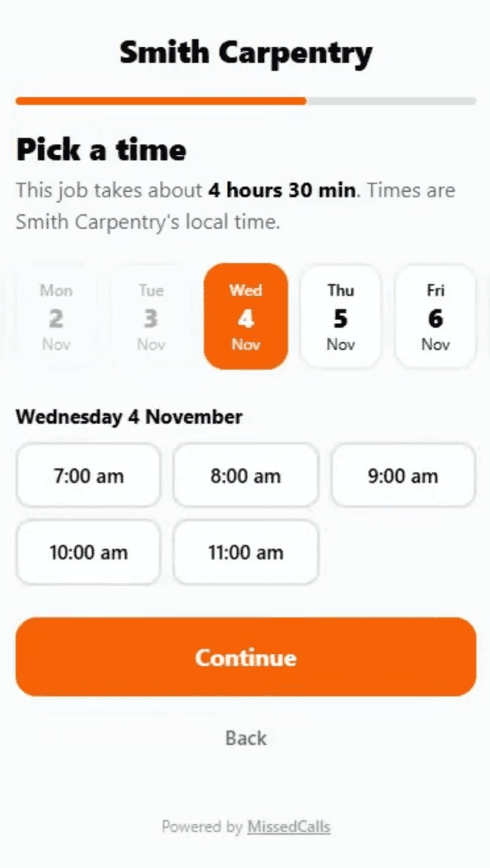
Instant booking: locked in straight away, reminders start.
Booking reminders
Automatic confirmations and reminders.
Customers get an instant email confirmation when they book. Reminders go out 24 hours and 1 hour before, so fewer no-shows.
Booking confirmed
Deck repair, Thu 9:00 am. See you then.
Reminder: tomorrow at 9:00 am
Reply to this email if you need to reschedule.
We’re on our way in an hour
Smith Carpentry, 12 Ridge St, Penrith
Lead Inbox
Never miss another job.
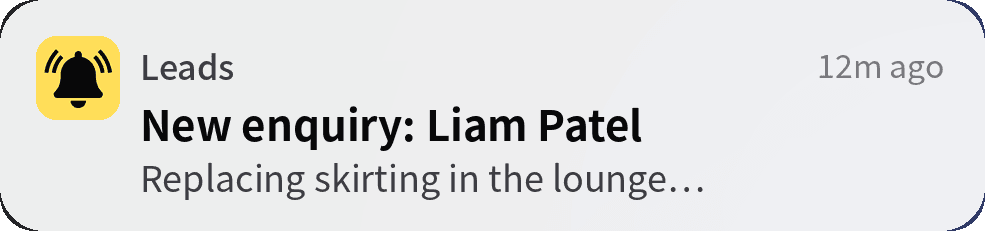
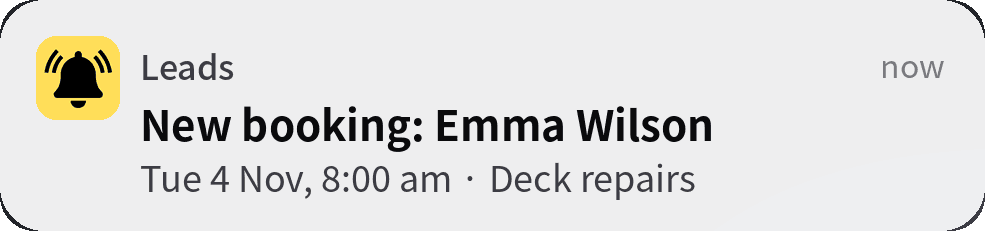
Every booking and enquiry lands in your Lead Inbox, with an alert on your phone the second it arrives.
See bookings, form completions and jobs won each month at a glance.
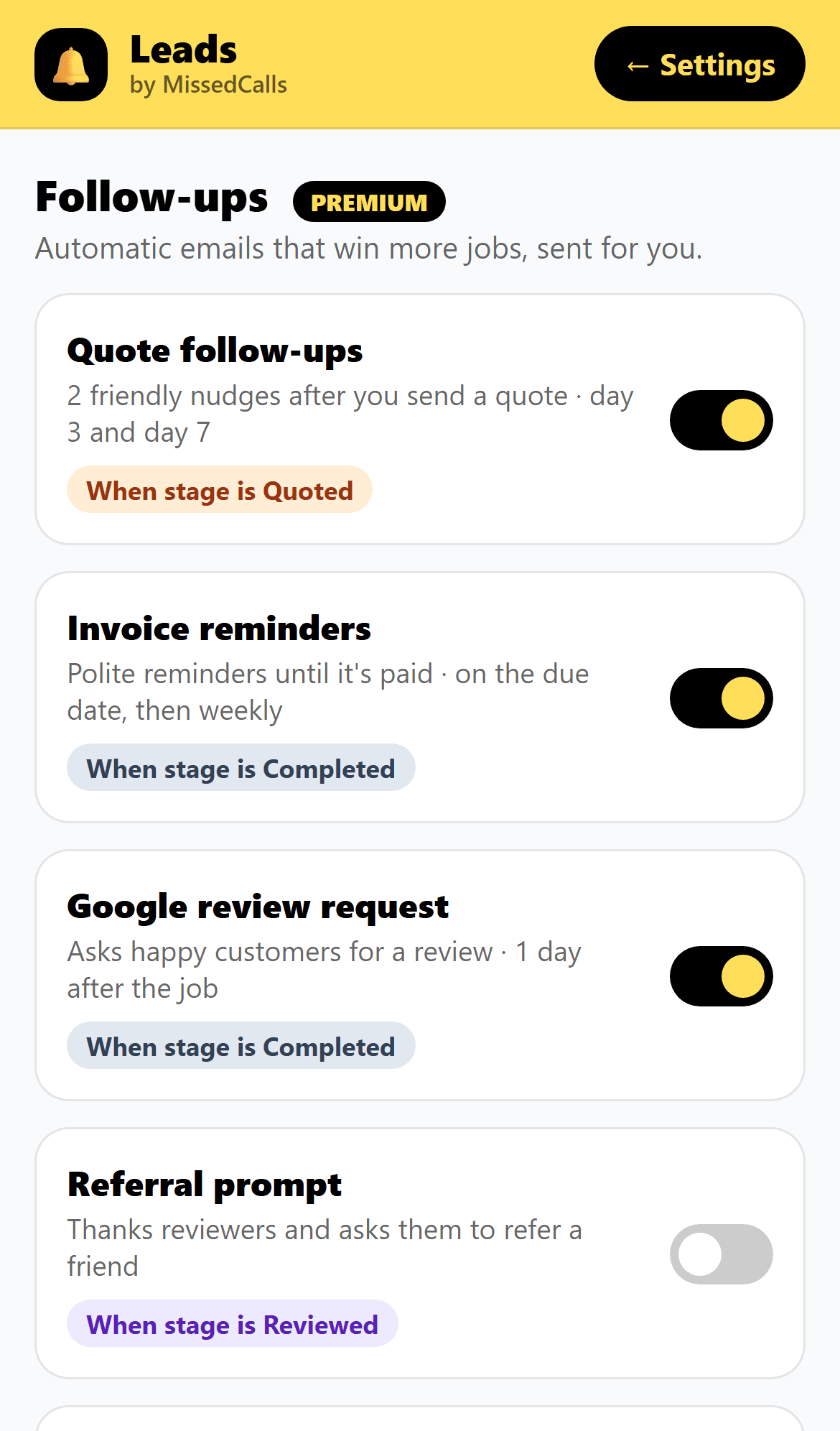
Premium follow-ups
Stop chasing. Let automation do it for you.
- Automatic email follow-up after every quote you send
- Invoice reminders so you get paid faster
- Google review requests sent after every job
- Referral prompts to turn happy customers into new leads
- Service reminders that bring customers back when the next job is due
- Track everything from your Lead Inbox
Website button
Your contact button, always within reach.
It stays visible as customers browse your site. One tap to call, request a quote or book online.
Works on WordPress, Wix, Squarespace and more. We can add it to your site for you.
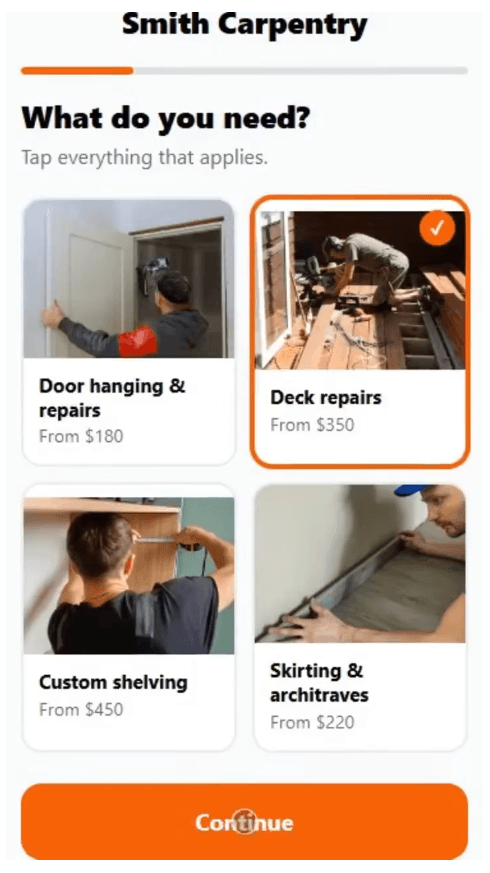
Visual forms
Forms customers actually finish.
No website? We’ll build one.
Professionally built sites from $24 a month. Pay only after you approve your preview. Add the Lead Inbox for just $19 a month.
Simple pricing.
No lock-in contracts. No setup fees.
Basic
$29/month
Catch every enquiry, with alerts on your phone.
- Enquiry form with photos and your questions
- On your website, Google profile and a shareable link
- Every enquiry to your phone and email
- Lead Inbox app with instant alerts
- Add phone and walk-in enquiries
- Track quotes, invoices and who’s paid
- Set up for you
Standard
Popular$79/month
Basic plus online bookings and payments.
- Everything in Basic
- Online bookings with real availability
- Checks your Google, Outlook or Apple calendar
- Instant bookings or requests you confirm
- Add-ons and deposits or payments
- Email confirmations and reminders
- Week calendar of your bookings
- Book phone jobs straight into your calendar
Premium
$129/month
Standard plus automatic follow-ups.
- Everything in Standard
- Automatic quote follow-ups
- Invoice reminders
- Google review requests
- Referral prompts
- Service reminders
Websites
From $24/month
No website, or a bad one? We build it.
- Professionally designed, mobile-friendly site
- Contact form and lead-capture chatbot
- Hosting, SSL and basic maintenance
- Domain connection
- Pay only after you approve your preview
- Add the Lead Inbox for $19/month
Swipe to see all plans →
SMSText confirmations and two-way messaging are in testing.
Compare plans
| Tap a feature to see what it means | Basic$29/mo | Standard$79/mo | Premium$129/mo |
|---|---|---|---|
| Where customers find your form | |||
| How you get enquiries | |||
| Coming soon | Coming soon | ||
| Your form | |||
| Online bookings | |||
| Follow-ups | |||
Questions and answers.
Everything you need to know about getting started.
Small businesses that take enquiries, quote jobs or book appointments: trades, mechanics, cleaners, salons, studios, mobile services and more.
A contact form collects a message you have to chase. Our form books the job or collects everything you need to quote: the job type, photos, suburb and timing. Customers get an instant confirmation and reminders, so enquiries turn into jobs.
It’s one line of code that works on WordPress, Wix, Squarespace, GoDaddy and custom sites. We set up your form, and we can add it to your site for you or send you simple steps.
Yes. You set your services and add-ons, your opening hours (split shifts too), how much notice you need, days you’re not working and how many bookings you take a day. The form only offers times you can actually do.
Your choice. Instant bookings lock in a free time straight away. Booking requests wait in your Lead Inbox until you confirm them, and the customer is emailed either way.
Yes, on Standard and Premium. In Settings, paste the private link to up to 3 Google, Outlook or Apple calendars, and anything busy, including all-day and repeating events, is blocked from your booking times. New bookings appear in your Lead Inbox the second they’re made, and can also show in your Google, Outlook or Apple calendar. The calendar connection refreshes on a timer, so a brand-new event in your calendar can take up to an hour or two to block a time, and bookings can take a few hours to appear in your calendar app.
Yes. We set it up for you, then you can edit your services, add-ons, questions and hours any time from Settings in your Lead Inbox, on your phone or computer.
Your website, your Google Business Profile, your social media pages, or a link you text or email to customers. The more places it lives, the more jobs you catch.